Company Profile
 GLOBAL
 Request Info
Color LCD Display, 1/4 DIN Size (96x96 mm)
Paperless Recorder VR96E-G8
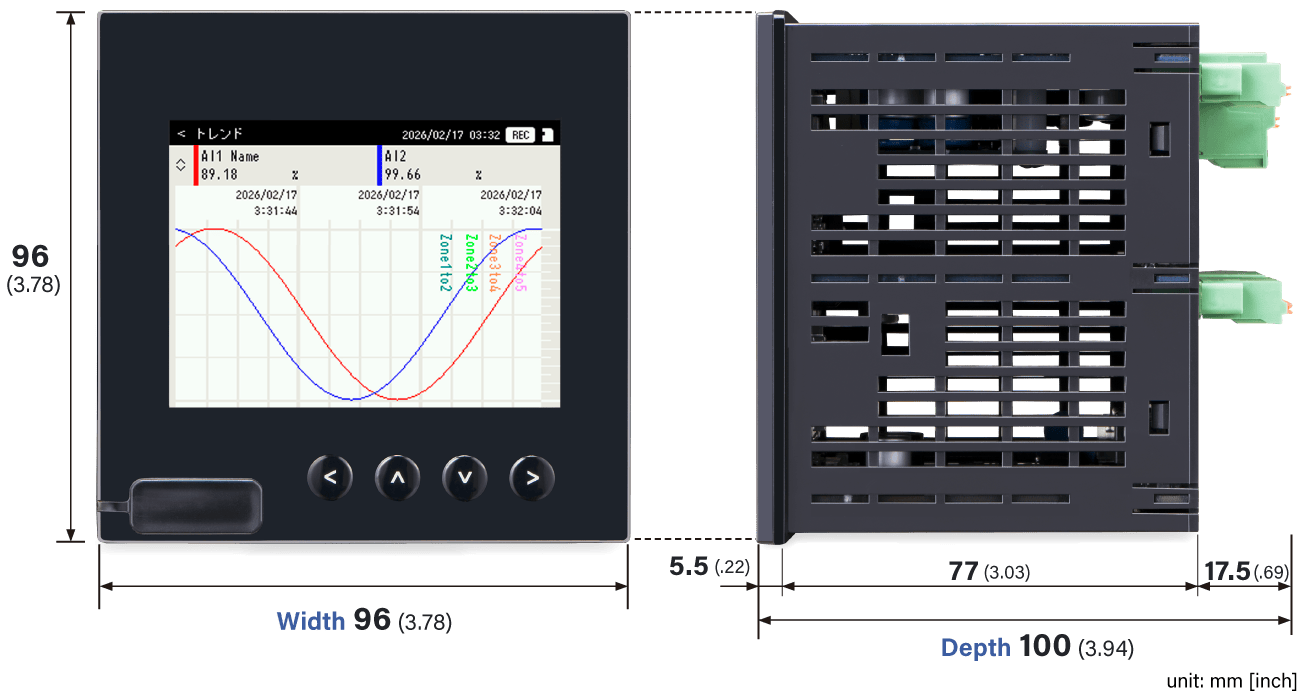
Ideal for replacing existing recorders
The compact design compliant with the 1/4 DIN format allows for the replacement of existing analog recorders. This reduces installation costs and work time, making it easy to go paperless and meet onsite needs for digitizing recorded data.
Supporting one contact input and one photo MOSFET relay output, the necessary interfaces are integrated into a compact design, which also includes essential onsite functions, such as trigger input and alarm output.
- Records measurement data and operation status to SD card
- 100 msec. sampling rate
- IP55 front panel
- Recorded data can be displayed and analyzed using the dedicated application


Display Screens
-
Trend view
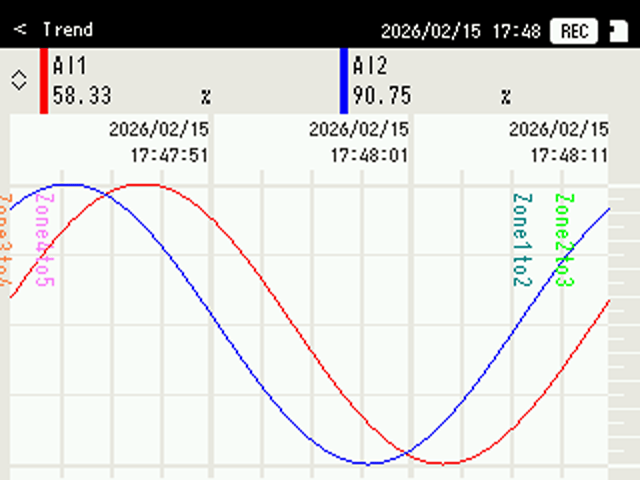
Chart direction Horizontal Number of display points 2 per view Number of display views 8 Maximum number of samples 300 -
Overview
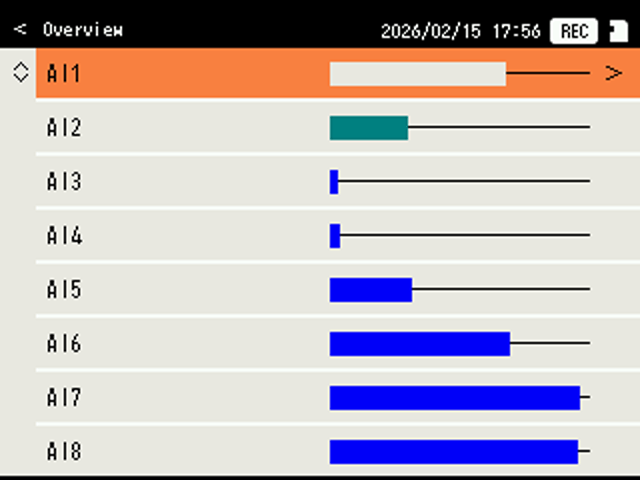
Number of display points 8 per view Displayed content Name (up to 10 characters), bargraph Number of display views 1 -
Digital view
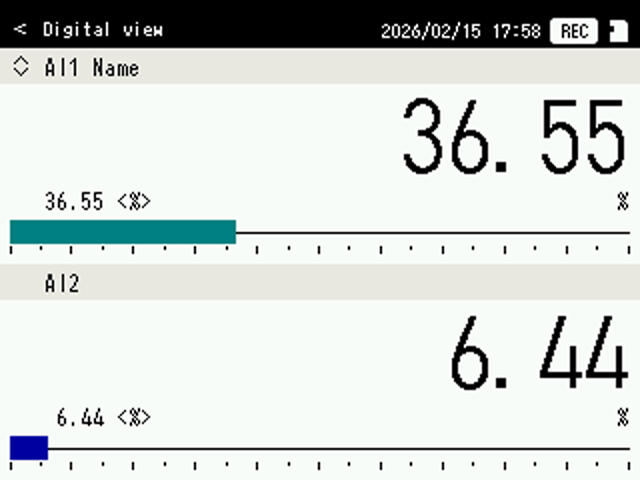
Number of display points 2 per view Displayed content Name (full), value, bargraph Number of display views 4 -
Log view
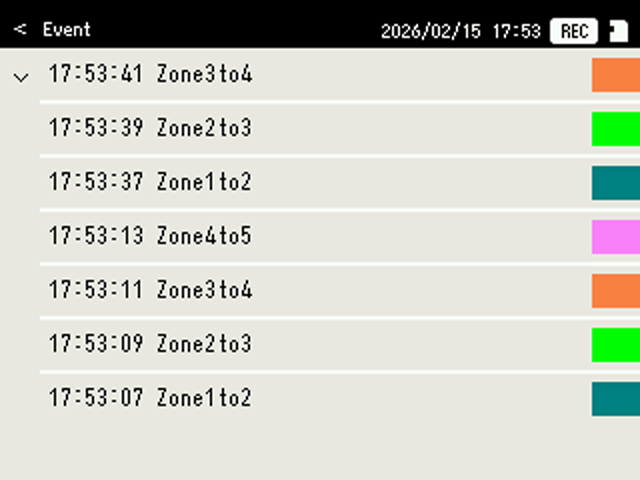
Number of displayed events 8 per page
(the newest 32 events
are displayed)Number of display views 3
(event log, system log,
communication log) -
Maintenance view
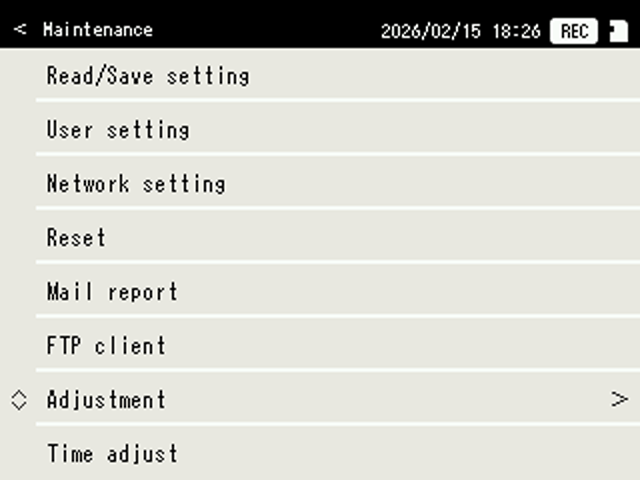
Used to perform setting and maintenance.
-
Screen saver
Back light can be turned off if there is no operation for a certain period of time.
Auto view switching
Views can be switched automatically if there is no operation for a certain period of time.
System configuration
-
Built-in I/O
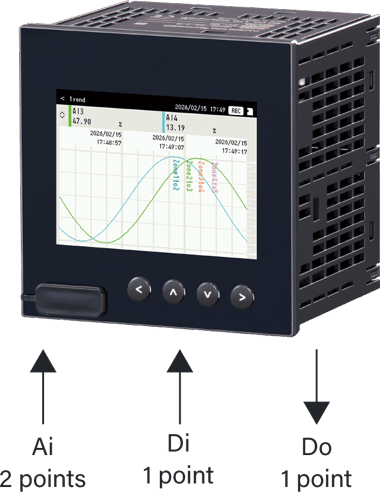
-
Built-in I/O plus network I/O
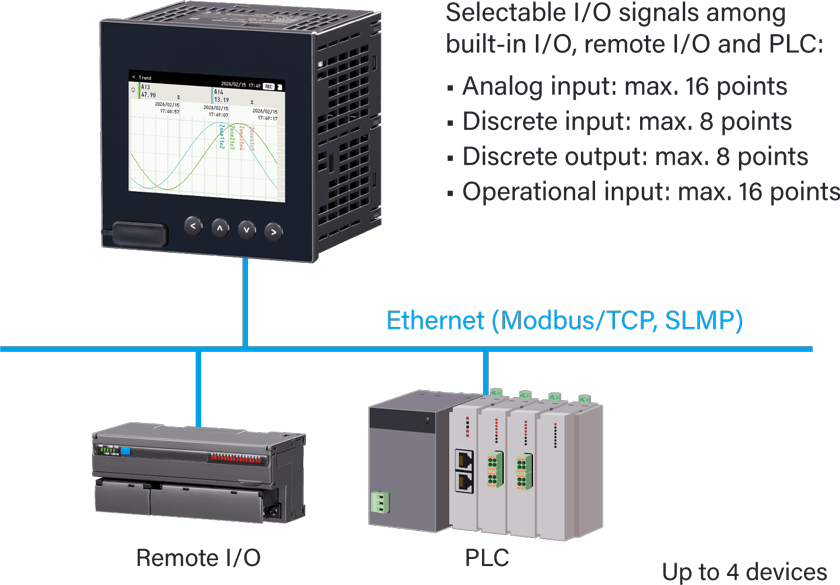
What is an operational input?
The following functions can be applied to analog signal inputs for recording:
Operational functions
| Addition and subtraction / Multiplication / Division / Square root / Moving average / First-order lag / exp / Common logarithm / Natural logarithm / Peak hold (max/min) / Analog accumulation / Power / F value calculation / Antilog / Scaling / Time |
Component identification and specifications
-
Front view
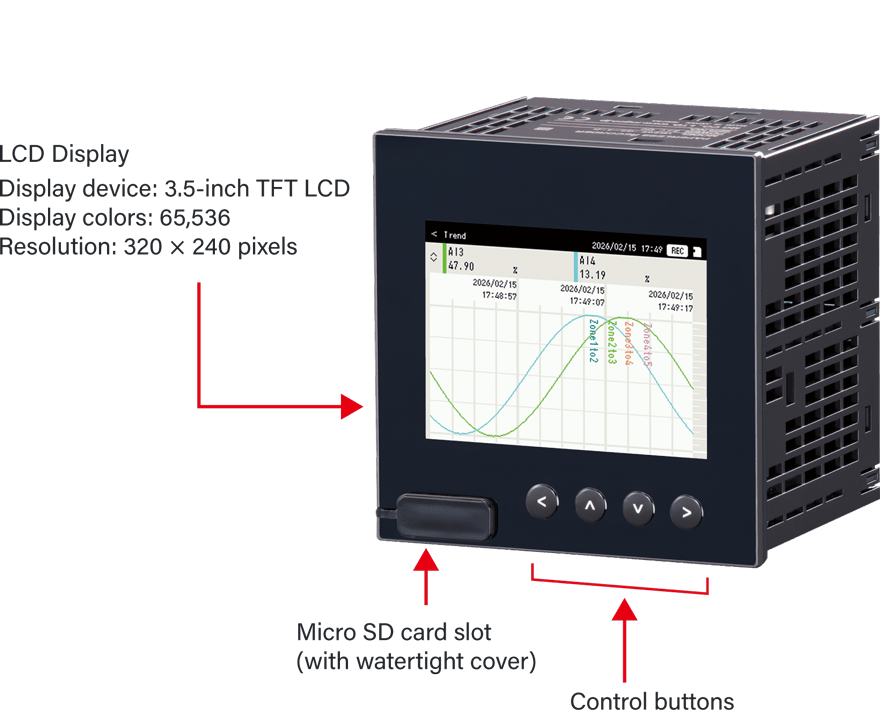
-
Rear view
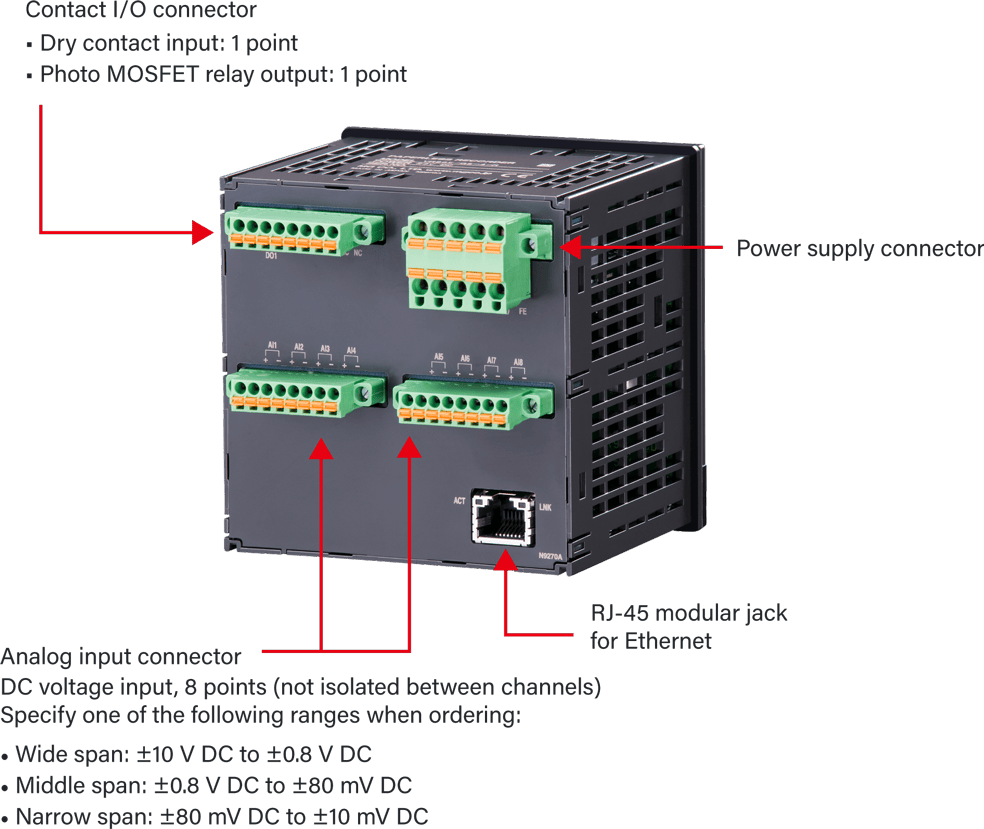
Functions and Specifications
Trend data storing
When an SD card is placed, trend data, event data and comment data are recorded in the internal memory and then transferred to the SD card at the specified time intervals.
-
Recording method
· Normal recording: Recording continuously until recording is manually stopped.
· Trigger recording (edge): Recording up to 300 samples of data before and after the trigger condition is met, respectively.
· Trigger recording (level): Recording data during the trigger condition is met.
Sampling rate
· 100 ms
Storing rate
· 100 ms, 500 ms, 1 sec., 2 sec., 5 sec., 10 sec., 1 min., 2 min., 5 min., 10 min., 30 min., 1 hour
Trend data
· Number of channels: Max. 16 (Select from Ai, Di, Do, Oi)
· Number of events: Max. 50000 samples × number of channels (per file)
Event data
· Event: Zone transition for Ai and Oi, change of Di status
· Recorded content: Time, event
· Number of events: 3000 (per file)
Comment data
· Maximum number of input characters: 32
· Recorded content: Time, comment
· Number of events: 1000 (per file)
-
SD card writing timing
Storing rate SD card writing timing 100 ms 10 min., 30 min., 1 hour 500 ms 30 min., 1 hour, 6 hours 1 sec. 1 hour, 6 hours, 12 hours 2 sec. 1 hour, 6 hours, 12 hours, 1 day 5 sec. 6 hours, 12 hours, 1 day 10 sec. 6 hours, 12 hours, 1 day 1 min. 1 day, 1 week 2 min. 1 day, 1 week 5 min. 1 day, 1 week, 1 month 10 min. 1 day, 1 week, 1 month 30 min. 1 day, 1 week, 1 month 1 hour 1 week, 1 month
Writing period
-
Approx. recording time period for TRD format with a 16 GB micro SD card
Storing rate 4 pens 8 pens 16 pens 100 ms 2 years 1 year 6 months 500 ms 10 years 5 years 2 and
a half years1 sec. 10 years 10 years 5 years 2 sec. 10 years 10 years 10 years 5 sec. 10 years 10 years 10 years 10 sec. 10 years 10 years 10 years 1 min. - 1 hour 10 years 10 years 10 years Note 1) Only the trend recording is enabled.
-
Approx. recording time period for CSV format with a 16 GB micro SD card
Approx. recording time period for CSV format with a 16 GB micro SD card
Storing rate 4 pens 8 pens 16 pens 100 ms 1 year 6 months 3 months 500 ms 5 years 2 and
a half years15 months 1 sec. 10 years 5 years 2 and
a half years2 sec. 10 years 10 years 5 years 5 sec. 10 years 10 years 10 years 10 sec. 10 years 10 years 10 years 1 min. - 1 hour 10 years 10 years 10 years Note 2) Only the trend recording is enabled. (The values are calculated as 8 single-byte characters)
Viewer software
The data stored in the SD card can be displayed on the dedicated Viewer Software (Model: TRViewer). Also, data can be converted to CSV format file.
· Viewer Software (Model: TRViewer) is downloadable for free from Software Download & Upgrade  .
.
Alarm contact output
Do designated as alarm contact output can be turned ON at event occurrence.
Event
· Zone output of Ai, Di, Oi
· Communication failure in e-mail reporting, FTP client, Modbus/TCP and SLMP
Functions using LAN/Internet
-
E-mailing
E-mail reporting function is available at event occurrence or at the specified time.
Encrypted communication is supported. (SMTP over SSL)· Number of e-mail recipients: 8
· Number of event reporting messages: 4
· Number of regular reporting messages: 4
· Channel status: Ai, Di, Oi, Do data status can be included in a mail.
-
FTP client
Files stored in the SD card can be uploaded to an FTP server.
· Supports FTPS (Explicit mode)
-
FTP server
Reading and deleting files in the SD card by an FTP client is available.
· Simultaneous connection: 1
· Operation verified FTP client: FFFTP
-
Timekeeping
SNTP client
· The recorder’s internal time can be adjusted automatically.
· Time adjustment is performed when the power is turned on and at the specified time.
-
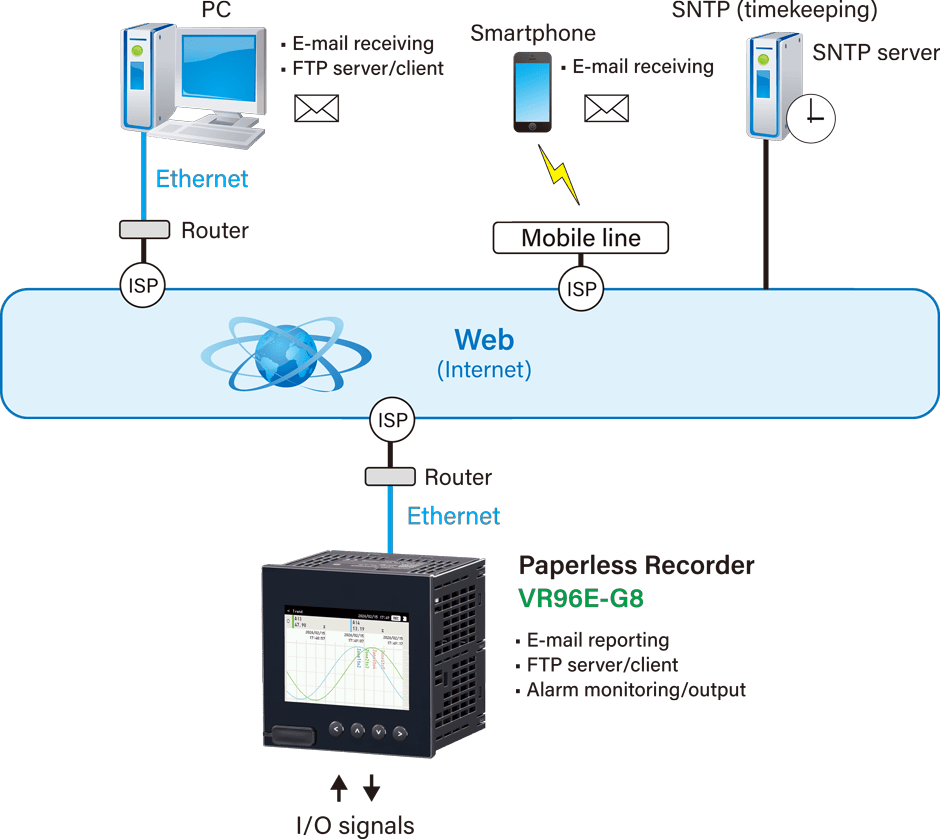
System configuration example for the functions using LAN/Internet